Section 1: Introduction
Guide Introduction
UT3 Introduction
Section 2: UT3 News
Guide News
Main UT3 Website News
Epic Forums UT3 News
BeyondUnreal Forums UT3 News
NaliCity UT3 News
PlanetUnreal Forums UT3 News
UnrealPlayground Forums UT3 News
SkinCity UT3 News
Levels-4-You (L4Y) UT3 News
UTUnlimited UT3 News
Section 3: UT3 Admin Help
Important Information
Starting A Mod
Creating a Dedicated Server
Section 4: Setting Up UT3
Installation Guide
Port Forwarding
Creating a UT3 GameSpy Account
Section 5: Official UT3 Downloads
Updates
Bonus Packs
Linux Server
WebAdmin
UT3 Demo
Other
Section 6: Upcoming UT3 Addons
Upcoming Patches (Under Construction)
Upcoming Bonus Packs (Under Construction)
Upcoming Expansion Packs
Section 7: 3rd Party Software
Modeling Software
Audio Software
Driver Tweaks
Section 8: Customizability
INI Tweaks
Section 9: Training
Tutorials
VTM's (Under Construction)
Section 10: Community Hosted Content Websites
Epic Forums - UT3 Beta Releases Forum
Epic Forums - UT3 Full Releases Forum
BeyondUnreal Forums - Content Releases Forum
NaliCity - UT3 Map Downloads Section (Under Construction)
FileFront - UT3 Downloads Section
FilePlanet - UT3 Downloads Section
UnrealPlayground - UT3 Downloads Section
SkinCity - UT3 Downloads Section
Levels-4-You (L4U) - UT3 Downloads Section
UTUnlimited - UT3 Reviews Section
Section 11A: Major UT3 Projects
RypelCam
UT3Configz
UT3 Converter
Unreal Tournament 3 Tweaker
Section 11B: Modifications (Under Construction)
Section 12: FAQ
Questions & Answers
Workarounds
Advice
Tips & Hints
Section 1: Introduction
Guide Introduction
Welcome to my UT3 Guide! This guide was designed for being the only guide you'll ever need to go to on BuF for UT3 downloads, FAQ, installation guide, creating GameSpy accounts, etc. It's all here, and ready for action! 
UT3 Introduction
Unsurpassed. Unprecedented. Unrivaled. Unreal Tournament (r) 3 marks the return of the world's premiere first-person shooter taking graphics, gameplay and challenge to a whole new level!
- Choose from a vast arsenal of brutal weaponry and all-new, lethal Necris squadron vehicles.
- Defend humanity from the Necris invasion in the new single player campaign!
- Compete offline and online including Deathmatch, Capture the Flag, the all-new Warfare mode and more!
- Includes the award-winning Unreal (r) Engine 3 Tool set to build your own mods.
Section 2: UT3 News
Guide News
- October 13, 2008: The guide just got a major overhaul! News has been finally added, The guide is completely up-to-date (except Section 11B), and a lot of typos has been fixed, but unfortunately, not all of them due to time constraints. However, for what has been fixed are the most noticeable ones, including several hard-to-notice ones as well. There are still a few hanging around, which will hopefully be fixed ASAP! =) Other than that, everything is going good with the guide so far! Expect another update in about 3-4 days from now!
- October 16, 2008: Added the forgotten Guide News section which was planned due to some mishap that happened. I also added the old news that was *supposed* to be released with the massive guide update. xD =) Unfortunately, Section 11B is still not up-to-date, which will need to be fixed ASAP. however, the section may be deleted ultimately due to the fact that there are new mods, chars, mutators, you name it. However, if a moderator could help me keep this guide up to date with me, that would be awesome! Just if you do so, please PM me on what you edited. I would prefer that you don't touch what I had written anywhere else in the guide except for sections 2, 4, 5, 6, 11A, 11B and 12. That would help me out in ways that cannot be explainable. =)
- January 19, 2009: (Hopefully) fixed up all of the typos, and I temporarily closed off the modifications section. Reason? An update will come very soon, so keep your eyes peeled!
- March 15, 2009: 1/4 of the guide update is complete. The next update will happen within the week!
- January 25, 2010: V2.5 of the guide is complete. My 100% greatest apologies for the inconvenience! Also, this is the last massive/major revision that I will make until further notice, due to the circumstances beyond my control. =( However, I will still make updates, but maybe 1-5 times per year (if that ^^ ). Real life is a bitch nowadays, and I cannot run a massive guide like this anymore. Maybe in the future it will change, but as of this very moment in time, it's impossible... =( The admins here at BuF can update some stuff if they feel like, but if you guys do, please PM me before doing so, so you can make sure how to do "update" this guide properly. ;D Many thanks! =)
Main UT3 Website News
- October 13, 2008: Recently, the UT3 website has had a massive redesign. However, the years option does not work for the US version, and probably the other languages yet, so be patient, and hopefully they fix it all up.
Epic Games UT3 News
- October 13, 2008: The MSUC Phaze 1 has ended, and Phaze 2 has officially begun! MSUC Contestants, bring out your mods and fine-tune it to perfection! Make your bad boy the leading edge mod for UT3! XD
- October 13, 2008: The UT3 PS3 Patch 2 has been released to the public on the PSN network! PS3 users, download that update! It's essential (and iirc, Demo guy has not been fixed, but I have yet to try it out for 100% official clarification ).
- October 23, 2008: Announced several days ago, Unreal Tournament 3 is coming out with an expansion pack! This is great news for the community, and so far, everyone seems to be excited about it in one form or another. Currently, nothing is known about it, but once details start spreading, I'll immediately write them down here. =)
BeyondUnreal UT3 News
- October 13, 2008: Well, for a while now, BuF has been hosting it's FragBU events every Friday nights, and it has achieved great success! Keep on rolling the good times!
- October 13, 2008: (as posted by hal) "It seems the second installment of the Community Bonus Pack 3 maps is coming sooner rather than later! The plan is to release volume 2 on Monday, October 13 (the site says October 14, but that's in New Zealand time). Inside this package, you'll find ten new very high quality levels for Unreal Tournament 3, including six for CTF, 3 DM, and 1 WAR. As a bonus, you'll also get two great-looking playable characters. The rather clever pics below illustrate that quite well." This is for the Community Bonus Pack 3 v2 btw.
- October 16, 2008: A little late idd, but as of 2 days ago, the Community Bonus Pack 3 Vol. 2 was finalized and released. Yet another great bonus pack! Well done Spoondog and fellow CPB mappers from both Vol. 1 and Vol. 2! You really outdid yourselves
NaliCity UT3 News
- October 16, 2008: As (hopefully) all of you BuFers know, that NaliCity has been down since The Great BuF '08 Crash. I have seen the NaliCity 4 website under development, and I must say that it looks really good (considering that the last time I checked it out was a layout with dead links, except for a few select suff). Be sure to tune in for the latest updates for NaliCity 4 when it gets close to Alpha, Beta, RC, and even the final public release!
PlanetUnreal UT3 News
- October 13, 2008: According to PlanetUnreal, Cliff Bleszinski (formerly known as CliffyB) makes an announcement that Gears of War is now the main priority of Epic Games, making Unreal Tournament the second. as quoted from Cliff, "Unreal Tournament has been our bread and butter for years, but it is hard to argue with the success of gears. Unreal Tournament III is a game we really care about and it reviewed very well. But Gears is now our primary franchise." With that said, the PC Gamers are going to suffer without a PC version of Gears 2, due to Cliff's view of how "computers are constantly being upgraded, and that can be a problem for gamers trying to play modern games at a considerable framerate and fun as Epic's older games".
UnrealPlayground UT3 News
- October 13, 2008: Lord_Simeon has won 2nd best Physics category in the 1st phaze of the MSUC with his "Blockland" Deathmatch level.
SkinCity UT3 News
- October 16, 2008: I tried to go on SkinCity today, but Avira claimed that there was a "HTML Script virus called "Dldr.Frame.FM", but I'd figure out that I'd warn you, just in case something bad happens.
- October 16, 2008: There are three new models made by RuneStorm for UT3: "The Crusader", "The Zombie", and "The Skeleton Minion". The creator of these models made the famous Link Gun weapon! =D So, try these characters out, you won't be disappointed.
Levels-4-You (L4Y) UT3 News
- October 16, 2008: September's Top 10 contributing members have been posted on the forums. To view who they are, click on this link --> VIEW
UTUnlimited UT3 News
- October 13, 2008: UTUnlimited by Firefly has started an excellent Unreal Tournament level review website, which a lot of people seem to enjoy! Not only does he review the levels properly, but he also speaks the truth! If you are in dire of getting a review done to your level, or you just want to check out his reviews, then head on over!
- October 16, 2008: Firefly has linked his website to this guide! Cheers Firefly! This will get the numbers high for viewing this thread. ^^
Section 3: UT3 Admin Help
Important Information
UT3 Minimum Requirements:
Windows XP SP2 or Windows Vista
2.0+ Ghz Single Core Processor
512 MB of RAM
NVIDIA 6200+ or ATI Radeon 9600+
8 GB of Free Hard Drive Space
UT3 Recommended Requirements:
2.4+ Ghz Dual Core Processor
1 GB of RAM
NVIDIA 7800GTX+ or ATI Radeon x1300+
Notice to Laptop Users:
All laptop models were not tested and some may not provide features adequate (a.k.a. that are not powerful enough) to meet the intense hardware requirements.
Starting A Mod
If you are starting a mod for Unreal Tournament 3 (newbie or veteran), I'd highly recommend checking out the following websites in order:
UDN - UT3 Mod Community
UDN - Unreal Engine 3 Public Topics
UT3 Modding
Unreal Tournament 3 Forum
3D Buzz
I'd also recommend that you join the Epic Games Mod List. From there, you can gain access to private UT3 beta patches and other neat tools and accessories. By joining the mod list, you can directly talk to other UT3 Modders from the community, as well as the folks at Epic Games.
If you want to join, here are the steps you need to follow:
1) Create a new email message, with no subject or title.
2) Make sure you type in this email address that you want to send it to:
3) Type in the message box:
(<YOUR NAME> being your first and last name, or your clan tag and nickname, since a first and last name must be entered in order for it to register you).SUBSCRIBE UT3MODS <YOUR NAME>
4) Send the email. It should only take a couple of seconds for the server to reply back to your request.
5) Follow the instructions shown in your email given to you.
Creating a Dedicated Server
There are several things you need to prepare yourself if you are running a dedicated server on Linux. First of all, you need to download the newest and latest UT3 Dedicated Server for Linux in Section 5. The second thing is, you'll need to register on the Epic Games' UT3 Server List. You can gain access to patches, tools and accessories, and much, much more. However, the only downside is you'll get a lot of emails from this list. By joining the ut3server list, you can directly talk to other UT3 server hosters from the community, as well as the folks at Epic Games. As a suggestion, create a new email address (hotmail or gmail or whatever you want) and then do the following:
1) Create a new email message, with no subject or title.
2) Make sure you type in this email address that you want to send it to:
3) Type in the message box:
(<YOUR NAME> being your first and last name, or your clan tag and nickname, since a first and last name must be entered in order for it to register you).SUBSCRIBE UT3SERVERS <YOUR NAME>
4) Send the email. It should only take a couple of seconds for the server to reply back to your request.
5) Follow the instructions shown in your email given to you.
Once you have completed all of those steps, I'd recommend checking the email at least once or twice a day.
Section 4: Setting Up UT3
Installation Guide
In my personal experience of a game that requires alot of resources, like UT3, there is a way to install it and the FPS would rock. If you bought UT3, but you haven't installed it yet, read this installation guide. It's worth it.
1) For Windows XP Home Edition and Professional, install Windows XP Service Pack 3, and all the updates. For Windows Media Center 2005, download the Rollup 2, then the Rollup 2 update, then download the rest of the updates. For Windows Vista, download Service Pack 1, then Service Pack 2. These updates can be found at Microsoft Update, Microsoft Windows Update, or by simply clicking here.
2) Install the very latest (non beta) drivers. For best results, update the drivers in this order: Chipset, Video, Sound, Ethernet, Modem, Mouse and Keyboard, Monitor, and then whatever is left, you update. Reboot if necessary. If you have an NVIDIA video card, use the best and latest driver that gives you the least amount of freezing and graphical issues. ATI Drivers can be downloaded here.
3) Install the latest DirectX for your Operating System. For Windows XP Service Pack 2/3, click here (genuine Windows required). For Windows Vista, install Service Pack 1 for the DirectX 10.1 update, and then Service Pack 2 for more stabiliy and a speed boost. Reboot if necessary.
4) Run Clean Sweep, and run everything except compress files.
5) Defragment the hard drive that you want to install Unreal Tournament 3 onto.
6) If you haven't already, close all open applications, games, and accessories.
7) Install Unreal Tournament 3.
8) *OPTIONAL* Download and install the UT3 Titan Expansion Pack (FREE OF CHARGE).
9) Download and install the UT3 Patch v2.1.
Port Forwarding
Setup port forwarding for three ports (all UDP only): 13000, 7777 and 6500 (or whatever port/query port your server is running on; 7777/6500 are the defaults).Creating a UT3 GameSpy Account
For you new players wanting to try out Unreal Tournament 3, it's not like the previous Unreal Tournament's that you could install it and play. Unreal Tournament 3 now requires an account that is managed on the GameSpy sever database.
To create an account, do the following:
1) Create a GameSpy/FilePlanet account (same thing basically).
2) Load Unreal Tournament 3 and type in your CD-key if you haven't done so already
3) You will now need to create a UT3 account which runs on top of your GameSpy/FilePlanet account. To do this, type in the email address you used for your GameSpy/FilePlanet account, and then type a password. The password must be the same as the GameSpy/FilePlanet account, otherwise errors can occur during registration.
4) Log in your account (if you already haven't done so).
And there you go. Simple as that. If you have any questions, or something isn't working 100% (or at all), then check out Section 12 of this guide, which is a three-piece FAQ.
Section 5: Official UT3 Downloads
Updates
Patch v2.1
Bonus & Expansion Packs
Titan Expansion Pack
Linux Server
UT Linux Server (12172007)
*UPDATE* UT Linux Server (02202008)
WebAdmin
The WebAdmin tool can be downloaded here.UT3 Demo
UT3 Beta Demo
Other
PS3 Map Cooking Tools
PS3 Mod Cooking Tools
Uncooked Cinematics **NOTE** Due to the way Epic has released them, they are only viewable in the Editor due to "bit-rot" (aka missing packages)
Section 6: Upcoming UT3 Addons
Upcoming Patches
UNDER CONSTRUCTION
Upcoming Bonus Packs
UNDER CONSTRUCTION
Section 7: 3rd Party Software
Upcoming Expansion Packs
- October 23, 3008 Well folks, looks like UT3 will be getting some sort of an expansion pack. Currently nothing is known, but hopefully some more info will surface and I'll be able to discuss this further! =)
- March 15, 2009 UT3 Titan Package has been released for a while now. Go and grab it before your foes do! Btw, it includes UT3 Bonus Pack 1 v2, so you don't need to download it, it's already included.
Section 7: 3rd Party Software
Modeling Software
Maya PLE:
Download
UPaint for UT3:
N/A
ActorX:
Download
Audio Software
Audacity:
Download
Goldwave:
Download
Driver Tweaks
NVIDIA nTune:
Download
ATI Tray Tools:
Download
Section 8: Customizability
INI Tweaks
ATI Tweak:
1) Go to My Documents\My Games\Unreal Tournament 3\UTGame
2) Open and edit the UTEngine.ini
3) Change DisableATITextureFilterOptimizationChecks from True to False, and save the file.
NVIDIA Tweak:
1) Go to My Documents\My Games\Unreal Tournament 3\UTGame
2) Open and edit the UTEngine.ini
3) Change UseMinimalNVIDIADriverShaderOptimization from True to False, and save the file.
Section 9: Training
Tutorials
Hourences tutorials:
View
UT40K's UT3 Tutorials:
View
VTM's
UNDER CONSTRUCTION
Section 10: Community Hosted Content Websites
Section 10: Community Hosted Content Websites
Epic Forums - UT3 Beta Releases Forum
VIEW
Epic Forums - UT3 Full Releases Forum
VIEW
BeyondUnreal Forums - Content Releases Forum
VIEW
NaliCity - UT3 Map Downloads Section
UNDER CONSTRUCTION
FileFront - UT3 Downloads Section
VIEW
FilePlanet - UT3 Downloads Section
VIEW
UnrealPlayground - UT3 Downloads Section
VIEW
SkinCity - UT3 Downloads Section
VIEW SKINS
VIEW MODELS
Levels-4-You (L4Y) - UT3 Downloads Section
VIEW
UTUnlimited- UT3 Reviews Section
VIEW
Section 11A: Major UT3 Projects
RypelCam
Homepage
Forum
Download
UT3Configz
Homepage
Download
UT3 Converter
Homepage & Forum
Epic Games Forums' Thread
Download
Unreal Tournament 3 Tweaker:
Homepage
Forum
Epic Games Forums' Thread
BeyondUnreal Thread
Download
Section 11B: Modifications
UNDER CONSTRUCTION
Section 12: FAQ
Questions & Answers
UNDER CONSTRUCTION
Section 12: FAQ
Questions & Answers
~OFFICIAL~
Q: How do I save my progress in the Single Player Campaign.
A: You need to create and login into a UT3 profile in order for your campaign game to be saved.
Q: I am unhappy with the UI.
A: We're aware that the UI isn't perfect. We're working on numerous improvements and additions to the user interface that will be made available in future updates to UT3.
Q: Are there any differences between the downloadable Direct2Drive version of UT3 and the retail boxed version of UT3?
A: None, they are identical. Any patches released will work for either version.
Q: Can I use my existing GameSpy profile in UT3?
A: You need to create an profile in-game. UT3 uses it's own 'namespace' so that players can use aliases already claimed in the normal GameSpy namespace.
Q: Will there be a Linux or Mac version of UT3?
A: We are currently working on a Linux UT3 client that players will be able to use with the retail Windows version. As soon as it's available we'll announce it here. Work is also being done on a Mac retail version of UT3.
Q: Will there be a XBox 360 version of UT3?
A: Yep, now available!
Q: I want PS3 splitscreen!
A: Unfortunately there are currently no plans to implement this feature for UT3 PS3.
Q: What do I have to configure when I get the NAT warning?
A: Our NAT (network address traversal) checking code looks to see if an external game client can do two things. First, it checks to see if the router allows for unsolicited connections from unknown clients. It does this by seeing if the external game client can connect to a port that the internal game server has not sent data to the external game client on. If this fails, then your router needs to allow for unsolicited packets. Secondly, the game checks to see that the port that is externally exposed is the same as the port the game thinks it is sending/receiving on. Some routers remap (change the port number) the ports that the internal host thinks it is using to a different port. This confuses the server and prevents clients from connecting. For more information see http://en.wikipedia.org/wiki/Network...ss_translation. UT3 supports "Full cone NAT" routers only.
Q: Is there a patch for the PS3 version?
A: Yes and it is current available for download from the PlayStation network.
Q: Will there be official XBox 360 dedicated servers for that version?
A: Yes, there will be a similar number of XBox 360 servers in North America and Europe to what we provided for the PC and PS3 versions.
Q: Does the XBox 360 version have character customization?
A: The 360 version doesn't have character customization per se, but virtually every combination you could make is now available as a stand alone character.
~UNOFFICIAL~
Q: WTF??!! Unreal Tournament 3 is not loading!! Piece of ****ing s**t!!
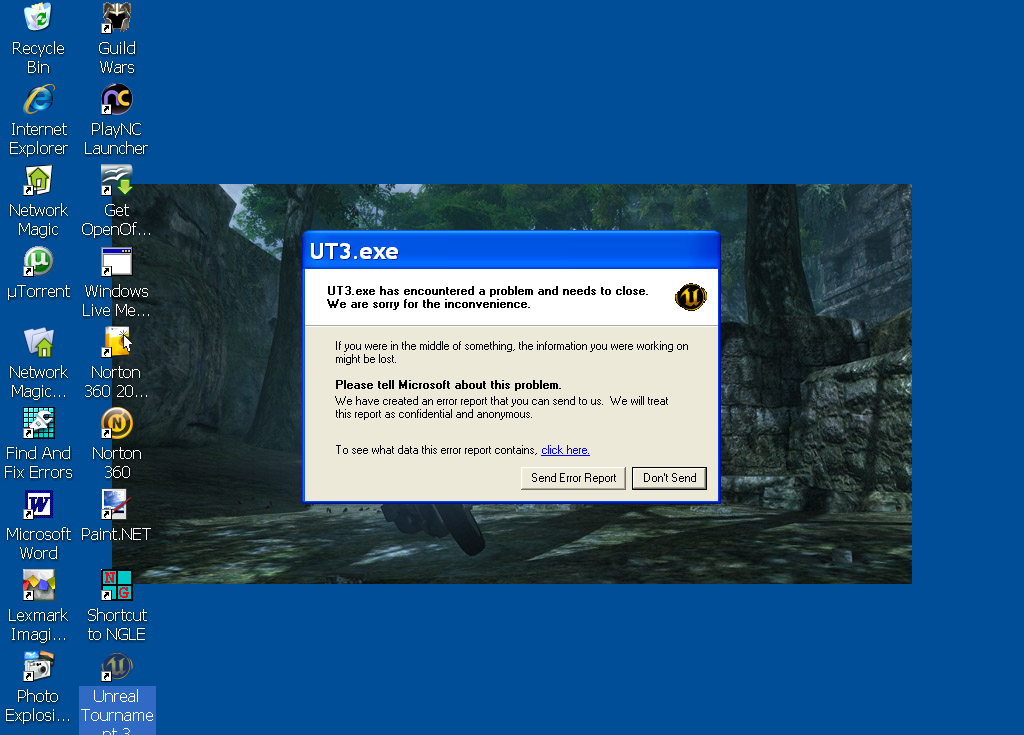
A: This is very common for some people that have riggs older than 2003, onboard video cards, older PCI/AGP video cards, not enough ram, etc. Check this entire thread (yes, all of it) to see what your problem might be. If you still can't find the problem or none of the solutions seem to fix it, please post your log, and I will try my very best to fix that issue for you.
Q: Unreal Tournament 3 loads the splash screen, but as soon as it loads, it immediately quits!
A: Again, like the first question, this can be caused my multiple issues, as stated before. RTFM, and maybe you'll get your problem fixed. If not, like I said before, post your log here, and I'll try to fix your problem.
Q: How do I enter the "@" symbol on a UK keyboard for UT3?
A: Have the NumKey enabled, and then press and hold alt, and then type 0040 in the second number keypad, then release Alt for the @ symbol to appear.
Q: I have an Intel video card, and UT3 will not load for me. It gives me a critical error in the log!
A: Do you mean this error?
Code:
Device does not support 1x32 FP render target format....if so, you need to go into the BIOS, and under video properties, increase the Shared Memory to 256 MB. Make sure you at least have 1 gig of ram for UT3 to run. If your BIOS does not have the Shared Memory setting in your BIOS, you will need to get a new video card. I'd recommend getting a video card on or above the NVIDIA GeForce 9 series and the ATI Radeon 9600.
Q: The HUD is too console like! What gives??
A: This is an issue that epic will correct in the patches. Patch 1 already fixes a lot of these issues, but not all of them. Patch 2 fixed a lot of issues, and bringing the status of it from "console looking" to "basic PC UI". Patch 3 added several new options, but the players were still not completely satisfied. Patch 4 Brought the game to PC-like by up to 85% in most people's views, with a highly revamped UI, virtually every single configurable option for UT3 available, and officially bringing the UI to PC status. However, some users complained, but the ratios of this patch for people complaining it was too console like was dropped by up to 90%. Patch 5 made 95% of the community accept UT3 as a fully proper PC game, and the "Console UI" jokes were dropped. In short, Patch 4 fully got rid of the "Console UI", Patch 5 refines it a bit and perfected it, and what not. Upgrade to Patch 5 ASAP!
Q: Why the **** did they not include the editor in UT3??!!
A: The Unreal Tournament 3 Editor is no longer a separate application. It has been merged into the main UT3 executable. There is two ways on how you can get the UnrealEd to load:
Solution 1:
1) Duplicate the UT3 shortcut, and rename it Unreal Tournament 3 Editor
2) Open up the shortcut's properties
3) Replace the location with the following: (x86)
(x64)"C:\Program Files\Unreal Tournament 3\Binaries\UT3.exe" editor
4) Click OK."C:\Program Files (x86)\Unreal Tournament 3\Binaries\UT3.exe" editor
Solution 2: Copy the UnrealEd shortcut from your Start Menu (Start>Programs>Unreal Tournament 3). The shortcut is called Unreal Tournament 3 Editor.
Q: Where is that damn UnrealEd?! I can't find it!!
A: Look at the previous question, it'll tell you everything you'll need to know.
Q: What is the editor officially called?? I heard multiple names of it!
A: There is many nicknames, such as UnrealEd 4, but according to Epic, UnrealEd 4 is the "incorrect name". Starting with the Unreal Engine 3, the Editors are named <Game> Editor, <Game> meaning the name of the game, such an example would be GoWEd/Gears of War Editor, or UT3Ed/Unreal Tournament 3 Editor.
Workarounds
Getting a crash during the opening cinematic:
1) Go to My Documents (<User>\Documents for Windows Vista)\My Games\Unreal Tournament 3\UTGame
2) Open and edit the UTEngine.ini
3) Change PumpWindowMessagesWhenRenderThreadStalled from False to True, and save the file. It should look like this: PumpWindowMessagesWhenRenderThreadStalled=True.
Hitching during gameplay on NVIDIA video cards:
Solution 1: Download the NVIDIA tweak in the INI Tweaks section.
Solution 2: Install the 163.75 drivers from the NVIDIA website. These drivers are not available for 8800GT video cards and Epic is working with NVIDIA on a solution for customers with this hardware.
Crashing with OpenAL hardware audio enabled:
Disable OpenAL support in the Audio settings menu.
I can't access instant action but I can play campaign mode fine:
Please try creating a new UT3 user profile.
Flickering World Geometry and Static Meshes:
This is a known issue on NVIDIA cards and is a driver issue. NVIDIA has issued a fix for this problem in the 169.21 and newer beta drivers.
'Connection Failed' Error Message:
Solution 1: On ASUS motherboards (and potentially others), update your integrated LAN hardware's drivers.
Solution 2: If it takes you more than 30 seconds to load a map, the default servers will timeout and believe your client dropped. Things that can improve load time are disabling custom characters in the settings menu, increasing the amount of RAM in the system, and upgrading to a fast CPU.
No servers are listed when trying to play online:
Close UT3, and right click on the UT3.exe and select "Run As Administrator".
Advice
If you have overclocked your PC, and UT3 won't load, try returning your CPU and GPU clock speeds to their factory settings to see if any instability is associated with overclocking your hardware.
While 512 MB or RAM is the minimum requirement for playing Unreal Tournament 3, 1 GB of RAM is recommended for fast and reliable gameplay, and 2 GB is highly recommended, and it doesn't include any hitches and lag.
For 1280x1024, an NVIDIA 8500GT/7600GT or ATI HD2600 Pro/x1650 Pro is the minimum. For 1680x1050, an ATI x1950Pro or an NVIDIA 8600GTS is the minimum.
Using a serial key generated by a keygen or that is already in use by another player will result in the 'Connection Failed' message.
Having an AGP 4x, AGP8x or PCI-E video card is highly recommended for smooth gameplay and decent framerates.
If you want the decent 5.1 sound quality, use an old Creative Sound Blaster Live!, with 5.1 speakers. I'd recommend an Audigy 1 or 2 for good sound quality...or, for mega-1337 surround sound quality, get a Creative X-Fi Gamers Edition with a 7.1 Speaker set, so you can be assured to have the best sound for UT3 and actually feel like you're a part of the game.
Having an optical USB mouse at a DPI rate of 3000 or higher would be best for playing UT3.
Guide updated on: Sunday, Jan 25, 2010 @ 10:52 P.M. Canadian/American Eastern Standard Time (-05:00)
Guide version: 2.5
Last edited:


 With that said, afaik, next weekend or the weekend after will be free. That weekend I will use for updating tha guide.