![]() |
|
|
#1 |
|
Registered User
Join Date: Nov. 4th, 2003
Posts: 4
|
Hello
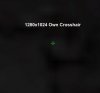
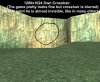
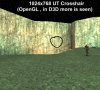
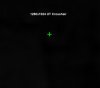
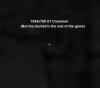
When I play in 1280x1024 the crosshair is more big and blurred. I cannot play en 1024 because my monitor is a 17" TFT with a native resolution of 1280. I have tried to make my own crosshair but although now is more small it continues seeing itself blurred or very translucent. I 2k3 it does not happen that to me. What can I do? Thanks |
|
|
|
|
|
#2 |
|
Registered User
Join Date: Nov. 4th, 2003
Posts: 4
|
..the rest of images...
|
|
|
|
|
|
#3 |
|
This certainly is strange, and I don't know what's causing it. Try posting this in the Troubleshooting forum as well.
__________________
My Profiles: Facebook :: MySpace :: Steam My Photo Album :: FragBU Community Wiki :: IRC Quotes |
|
|
|
|
|
|
#4 |
|
I think I have that same problem, running a 17in LCD at 1280x1024. The best suggestion I could recommend is just use the dot as a crosshair. I too would like to know the cause of this though
|
|
|
|
|
|
|
#5 |
|
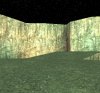
I took my own screenshots ... a crappy map with a nice black backround
![]() Nice find Szehang ... now all we need is a fix |
|
|
|
|
|
|
#6 |
|
bump
![]() I reinstalled UT and this prob is annoying me once again. Also, does anyone know of a crosshair pack that contains a plane dot that I could try that may work better then the default one? |
|
|
|
|
|
|
#7 |
|
hmm you could try to create your own dot perhaps and see wich is the most effective on that resolution by creating your own chrossair
__________________
|
|
|
|
|
|
|
#8 |
|
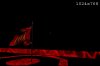
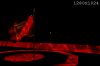
Not sure if you have any experience creating crosshairs, but I gave it a try and it didn't work and I'm not exactly sure why. I made a simple dot in PS, saved it as a .pcx, imported it to Ued, (it looked okay in Ued), edited my user.ini etc. But when I tried to use it in UT while the crosshair scroll went farther to the right then before, the image of the crosshair below was messed up. Pic attached below. The left image was a standard crosshair and the right was what happened when I tried to select my new one. (Though it is interesting, the standard crosshairs aren't blurry when viewed in the HUD settings tab, but in game they are ... so that leads me to believe that making my own won't help)
[EDIT]Okay, got it to work. I just exported one of the default crosshairs and then edited that pcx instead of making one from scratch. I ended up just making a 1pixel by 1pixel dot and saving it. I can't seem to get rid of the bluring, but with the 1x1 dot the bluring isn't as bothersome[/EDIT] Last edited by MÆST; 21st Feb 2005 at 02:29 PM. |
|
|
|
|
![]() |
| Thread Tools | |
| Display Modes | |
|
|