View Full Version : Anyone make this?
The_Cape
12th Oct 2003, 02:33 PM
http://img.villagephotos.com/p/2003-7/289627/thecapervb2.gif
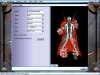
Fitting of my game name. One color on The Cape would be more wanted. An Orange maybe. Thanks for the help (if you do).
RJGexplode
15th Oct 2003, 01:33 PM
there is a whole model a bit like that already, can't remeber the name though, somet like chains, i'll go and check now for you, not sure if it's on skincity though
RJGexplode
15th Oct 2003, 02:35 PM
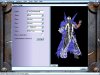
it is on skincity, its called Hell-Spawn, here it is on skincity (http://www.skincity.beyondunreal.com/?section=models&action=show_infos&id=18) the pics don't really do it much juistice though so i took a few of my own, they're at the bottom, supports all team colours and it is animated as well, i am of course presuming you meant for UT and not UT2K3
The_Cape
18th Oct 2003, 11:26 AM
That looks along the lines of what I am looking for, but any way you can eliminate the body? The hat and the cape are the only individual parts, or am I asking too much?
RJGexplode
18th Oct 2003, 01:03 PM
ah thats a better description i'm sure that wouldn't be too hard to model, i don't model though i only skin, but i'm sure someone else would be able to make it
Souless
19th Oct 2003, 06:36 PM
cant you jsut add an alphachannel to the texture of the body to turn it transprnt whith the animated cape still in the b/g?
The_Cape
19th Oct 2003, 06:37 PM
I personally suck at this kind of thing and would very much appreciate some help. Thanks in advance.
RJGexplode
19th Oct 2003, 06:41 PM
if i knew what an alpha channel was m8 i'd do it oh, and i'd also need to have the meshes for that model, i'll ask elsewhere if anyone can help ya coz it seems to me that not many people are looking at this thread
Souless
19th Oct 2003, 07:43 PM
if i knew what an alpha channel was m8 i'd do it oh, and i'd also need to have the meshes for that model, i'll ask elsewhere if anyone can help ya coz it seems to me that not many people are looking at this thread
alpha channels are responsible for transperancies. if you look in an editing program like lets say Photo shop in the bottom right hand corner there is a channels tab click on it you wills ee 4 options
RGB=All the colors
Red=red channel
Green=green channel
Blue=Blue channel
you can create another channel called an alpha
it is resposible for all transperancies and it actualy works on a gray scale
from white to black... The alpha channel will be applied to the rgb as follows the closer the color represented in the alpha channel is to black the more transpert it will be and the closer the color is to white the more opaque it will be.the alpha channel will be the same size as the picture so you can specify what you want for each part like lets say you want to single out the body so that it will be totally transperent then in the texture wherever you want to make a skin invisible/transperent color that section completely black.
a couple things not many files can hold alpha channels i use a 32bit Targa file but ,dds files and i think png's hold alphas aswell im not so sure about the png though so you might want to check on that also this is how 2k3 skins work and im not sure if Ut engine treats alphas the same
~Soul~
Luggage
20th Oct 2003, 07:13 AM
Keep this in mind: If you want to save a skin with alpha channel in photoshop as DDS, flatten all layers first before you save, and select DXT5 in the dds save dialog.
RJGexplode
20th Oct 2003, 11:43 AM
That sounds waaay to complicated for me! ;)
Hitoshi
28th Oct 2003, 10:59 AM
Hey cape..
Is that RvB as in Red Vs Blue? or is it a clan tag?
Red Vs Blue ownz lol.
The_Cape
28th Oct 2003, 07:23 PM
Hey cape..
Is that RvB as in Red Vs Blue? or is it a clan tag?
Red Vs Blue ownz lol.
Red vs Blue. Sponsership man.
Just wanted to ask if anyone has made any progress? UT or UT2K3? I appreciate the help.
The_Cape
8th Nov 2003, 11:26 AM
I am hoping someone can make this, a model and a skin. It would be a challenge, but imagine how good it would make you. Maybe the SkinCity guys could help me out? This would just make their skinning even better. UT or UT2K3. Thanks to anyone and everyone who attempts it.
The_Cape
12th Nov 2003, 10:23 PM
Possible starting point?
http://www.ut2003files.com/file.info?ID=11132
Psychic_313
13th Nov 2003, 08:36 AM
Yes, your linked skin is the ultimate in removing stuff with the alpha channel - it removes *everything* with the alpha channel.
However, that doesn't mean it's easy to make a skin/model of a cape - as your starting point, you still need a model with a cape in a UT2003-compatible format, and from what I've gathered, making flowing cloth animate properly is *hard*.
If I remember correctly, the Spawn model linked earlier is in the vertex-animated format (.3d/"LodMesh") supported by Unreal and UT, not the skeletal-animated format (.psk/.psa/"SkeletalMesh") supported by UT v432+ and UT2. Also, its "cape" is rather low-poly and, as a result, pretty rigid - no big deal in normal use (since the actual model draws your attention), but if all you could see was the cape, I imagine it'd look weird.
The_Cape
13th Nov 2003, 08:40 AM
Yes, your linked skin is the ultimate in removing stuff with the alpha channel - it removes *everything* with the alpha channel.
However, that doesn't mean it's easy to make a skin/model of a cape - as your starting point, you still need a model with a cape in a UT2003-compatible format, and from what I've gathered, making flowing cloth animate properly is *hard*.
If I remember correctly, the Spawn model linked earlier is in the vertex-animated format (.3d/"LodMesh") supported by Unreal and UT, not the skeletal-animated format (.psk/.psa/"SkeletalMesh") supported by UT v432+ and UT2. Also, its "cape" is rather low-poly and, as a result, pretty rigid.
I dont really understand the technical mumbo-jumbo, and I am new at skinning, but thanks for the help anyway. I don't really need a flowing Cape, I kinda just wanted the skin for fun. I wasn't going to take it online or something.
vBulletin® v3.8.4, Copyright ©2000-2009, Jelsoft Enterprises Ltd.