PDA

View Full Version : leaky skybox...


LatexMistress
23rd Jun 2003, 10:37 PM
Ahh yes.. the inevitable skybox problem..

So.. I've made an outside map similar to CTF-Face. Only this time it's two Japanese castles hovering over a lake of lava (the same skybox as in CTF-LavaGiant).

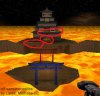
My problem is that when the other tower is viewed from a distance (for instance, when looking at blue castle from the top of red castle), you can see thin, bright orange lines from the lava in the skybox at the points where solids touch or where BSP cuts are made.

I have no idea how to fix this.. and I have rarely seen this occur. The entire map has been made to fit the grid, and even on the flat area that forms the base of the castle, the orange lines can be seen.

Any ideas?

Zxanphorian
24th Jun 2003, 10:10 AM
hmm, try transforming the brushes perminantly. That might help. Also, any screenshot?

LatexMistress
24th Jun 2003, 08:49 PM
Thanks for the reply.

Transforming the brushes permanently didn't help at all.

I've attached a screenshot for you to look at. The wierd thing is that this only happens when viewing from a distance. Once you get close to the opposite side or zoom in with the sniper rifle, the leaks dissapear.

It's strange that it would show through the base platform because it's at least 1024 units thick.

Oh well.... it's a minor issue really.... it doesn't affect how the map is played, it's purely an aesthetic problem. We all want our maps to be pretty right?

LatexMistress
28th Jun 2003, 02:56 AM
seriously... I NEED HELP ON THIS ONE....

Any talented mappers out there want to help?

Bonehed316
28th Jun 2003, 05:41 AM
looks like classic bsp holes to me. try using semi solids. links:

http://wiki.beyondunreal.com/wiki/BSP_Hole

http://wiki.beyondunreal.com/wiki/Semisolid

bsp is tough. do some homework and make it your bitch.

LatexMistress
29th Jun 2003, 08:21 PM
As far as I know, it's not a BSP hole. The leaks don't show up in the editor at all! Only when it's being playtested or actually played as a map do the leaks show up.

I have no idea what is going on with the skybox...

Original9
29th Jun 2003, 08:47 PM
Seems to me like a video card problem. What video card and support render do you use?

LatexMistress
29th Jun 2003, 10:15 PM
nvidia geforce2go 2 ...
hacked detonator drivers v41.09

It can't be that either because the other people playtesting it with me see the same thing. I was thinking it has something to do with the way that skyboxes are interpreted at a distance...


*edited addition:

Actually, now that you mention it, I can see that it's a problem with directx. Using software (opengl) rendering, the leaks are gone... but when I switch back to directx, the leaks show up. It's wierd.

Dr. Nick
30th Jun 2003, 02:46 PM
Try increasing the bitdepth at which you run the game. It looks like you are getting Z-Precision errors caused by not having enough bitdepth for the Z-Buffer. If you are already running at 32 bit.. I don't think theres much you can do.

Err, software... Open Gl? Open GL is hardware accelerated (In most cases). If you're running the original UT the GL render is the best ( and theres a download somewhere for the updated renderer, it fixes some bugs ).

LatexMistress
1st Jul 2003, 02:11 AM
Any ideas on how to do this other than checking 'use32bitZbuffer=true' under the advanced preferences menu?

It seems that after I check this, UT will no longer run full screen at 800x600 and is determined to run in a window. I'm running on an 850Mhz laptop so increasing my screen resolution beyond 1024x768 is not an option.. 800x600 provides the best performance so far.

Also, when I type 'preferences' into the console, UT comes out of 800x600 fullscreen mode and becomes windowed at 1024x768.. this is wierd behavior don't you think?

Thanks for your help.. I think changing the use32bitZbuffer to 'true' is what helped. However, no I have a problem with not being able to use full screen